Offsite vs Backblaze Personal Backup
Backblaze's prices and features checked on backblaze.com, September 28, 2026.
Both keep your files at Backblaze. Personal Backup is Backblaze's own all-in-one service: install it, and it backs up everything for a flat yearly fee. Offsite is a $10 app that backs up the folders you choose into a B2 bucket in your own Backblaze account, where you pay only for what you store. Neither is better for everyone. Here's how to tell which one is better for you.
The short answer
- you have more than about 1.2 TB on one computer — unlimited storage wins above that;
- you want everything backed up without choosing folders, including external drives, continuously as you work;
- you'd like the option of a restore drive by mail;
- you want your backup encrypted with a key only you know.
- you have under about 1.2 TB per computer, or several computers sharing one bucket;
- you want your backup as plain folders in a bucket you own, readable from Backblaze's website or any standard tool, with or without our app;
- you'd rather pay once than subscribe;
- you also want Google Drive, OneDrive, Dropbox or GitHub backed up, and proof that restores actually work.
What it costs
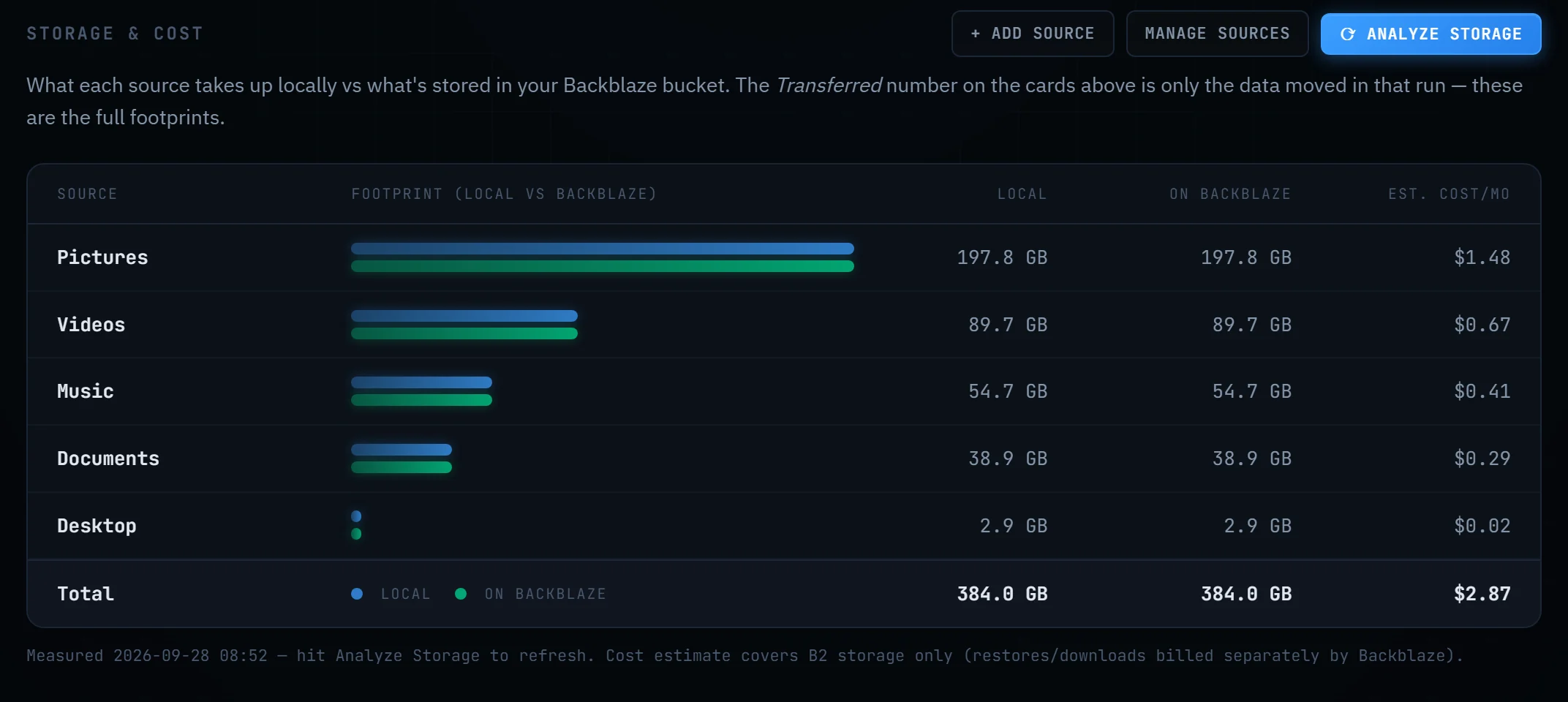
Backblaze Personal Backup is $9 a month, $99 a year, or about $189 for two years, per computer, with unlimited data. Offsite is $10 once (one license covers up to 3 of your computers), and Backblaze bills you directly for B2 storage at $6.95 per TB per month, with the first 10 GB free.
So the break-even is simple: $99 a year is $8.25 a month, which buys about 1.2 TB of B2 storage. Below that, Offsite costs less; above it, Personal Backup does. One thing to count honestly: in B2, old versions of changed and deleted files are stored too, so they count toward your total.
| Your data | Backblaze Personal, per year | Offsite: first year | Offsite: years after |
|---|---|---|---|
| 200 GB, one computer | $99 | $26.68 | $16.68 |
| 600 GB over two computers | $198 | $60.04 | $50.04 |
| 1 TB, one computer | $99 | $93.40 | $83.40 |
| 2 TB, one computer | $99 | $176.80 | $166.80 |
Offsite figures are $10 once plus B2 storage at $6.95/TB/month, ignoring the free first 10 GB. Backblaze Personal figures use the yearly plan. Downloads for restores are free from B2 up to three times what you store each month, which covers ordinary restores.
Side by side
| Backblaze Personal Backup | Offsite | |
|---|---|---|
| Price | $9/month or $99/year per computer, unlimited data. | $10 once for up to 3 computers, plus B2 storage at $6.95/TB/month billed by Backblaze. |
| What gets backed up | All user data on the computer and connected external drives, automatically. | The folders you pick, plus cloud accounts (Google Drive, OneDrive, Dropbox, Box, pCloud) and GitHub repositories if you add them. |
| When | Continuously, as you work. | On a schedule — weekly by default, per-folder schedules if you want — or whenever you click Run. |
| Where your files live | In Backblaze's backup service. You get them back through Backblaze's website, app, or a mailed drive. | In a B2 bucket in your own Backblaze account, as ordinary folders and files. Browse them on Backblaze's website or with any S3/B2 tool — no Offsite needed. |
| Old versions and deleted files | Kept 30 days by default; 1 year or forever for an extra fee. | Kept for as long as you choose — you set the window in the app in plain language. Kept versions are billed as storage. |
| Restores | Zip download from the website (up to 500 GB per request), the restore app, or an encrypted USB drive by mail, free if returned within 30 days. | Browse your bucket in the app and restore any file, folder or old version; or use Backblaze's website or any standard tool. |
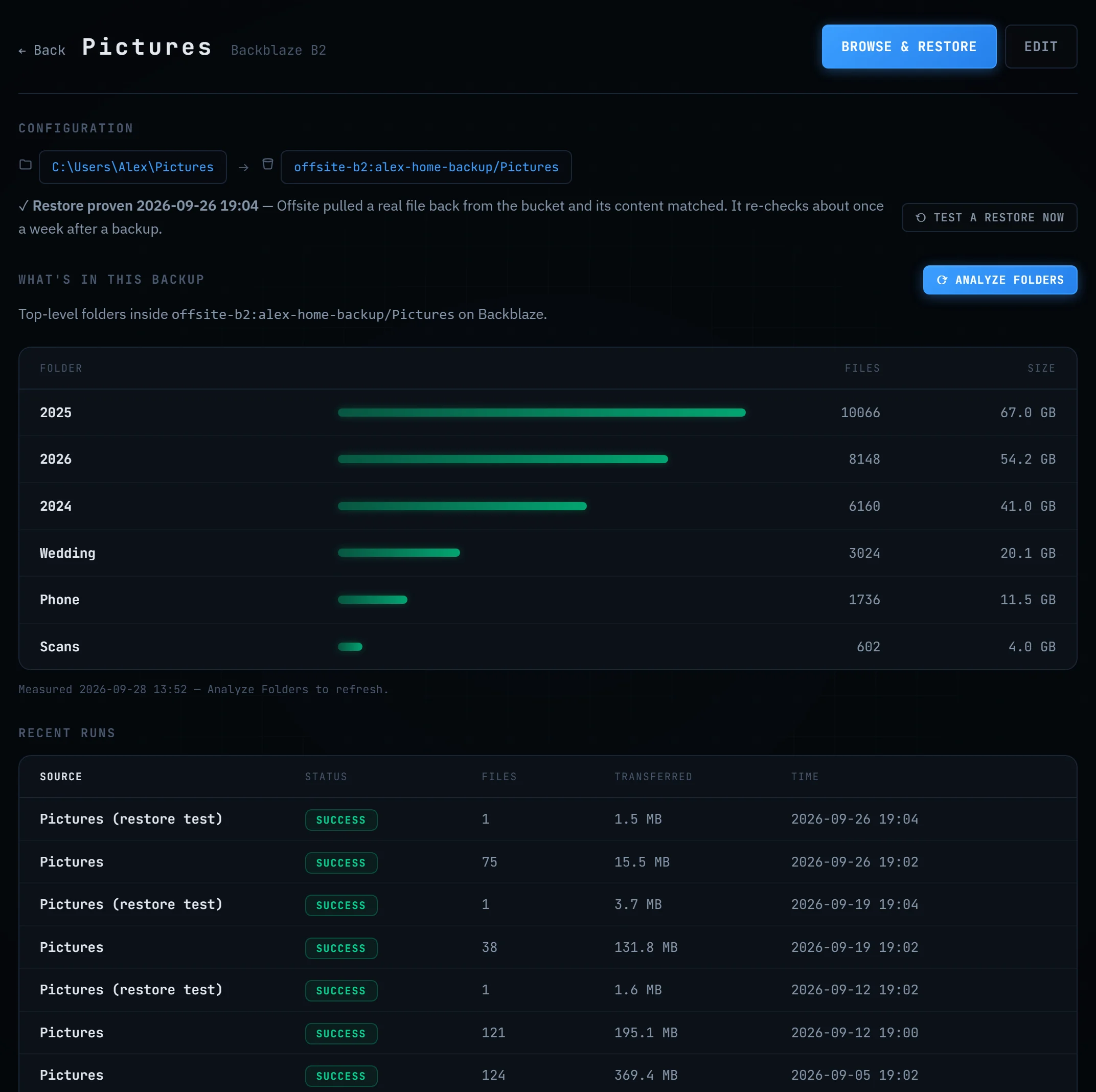
| Proof it restores | You test a restore yourself when you want to know. | Offsite pulls a real file back from your bucket about weekly, checks its fingerprint, and shows "Restore proven" with the date. |
| Encryption | Encrypted, with an optional private key only you know. | No extra encryption: plain files in your private bucket, readable by anyone with your Backblaze login or keys. That's the price of "readable without us". |
| Other storage | Backblaze only. | Backblaze B2 first; Amazon S3, Wasabi, Cloudflare R2 and other S3-compatible storage also work. |
| Platforms | Windows and Mac. | Windows 10/11 (signed). macOS 13+ as a public beta, signed and notarized by Apple. |
Where Backblaze Personal is the better tool
Lots of data. Unlimited storage for a flat fee is hard to beat past a terabyte or so. Zero decisions. It backs up everything, including external drives, without you choosing folders. Continuous backup. A file you saved five minutes ago is already on its way; Offsite waits for its schedule or your click. Mailed restores. Getting a whole drive back by courier is a real advantage after a disaster. Private-key encryption. If you want Backblaze itself unable to read your files, Personal Backup offers that and Offsite does not.
Where Offsite is the better tool
Your data, your account. The bucket is yours. Your folders sit there as folders — if Offsite vanished tomorrow, you'd still open them on Backblaze's website. Several computers, one price. One $10 license covers three of your computers, sharing one bucket and one bill. More than folders. Cloud accounts like Google Drive and OneDrive, and your GitHub repositories, can be backed up too — useful because sync services copy deletions and ransomware to every device within seconds. Proof. Offsite tests a real restore about weekly and tells you when it last worked. No subscription. Offsite has nothing running on our side, so there's nothing to charge you monthly for.
Try it on your own folders
Offsite is in public beta: the download is free and works without buying. The setup wizard creates your Backblaze bucket with you in about five minutes.
Download for Windows ↓ See pricingBackblaze Personal Backup details come from Backblaze's pricing page, product page and version history docs; B2 prices from B2 pricing. All as of the date at the top — check there for current terms. Backblaze and B2 are trademarks of Backblaze, Inc. Offsite is an independent product, not affiliated with or endorsed by Backblaze.